What costs nothing: everything
Plenty of tools describe themselves as free and then stop working the moment your guest list gets long enough to matter. Here is exactly what you get, so you can decide before you invest an evening in it.
Free, with no account and no card
- Creating a plan, and as many plans as you like.
- Importing your guest list from a CSV file, or pasting it straight in.
- Laying out the room — adding, naming, resizing, reshaping and moving tables.
- Seating every guest, by table or by individual numbered seat.
- Marking bride and groom sides, family and friend groups, roles and per-guest notes.
- Sharing the plan as a live link, with edits syncing between devices as you work.
- The sortable guest-list table view, undo, and version history if someone wrecks the plan.
- Exporting the finished plan back out to CSV.
- Downloading every print-ready chart, clean and watermark-free.
The print-ready files are free too
The print-ready PDFs used to be the paid part. Now they are free as well: all four charts, every size and all four colourways, downloaded clean and re-downloadable as often as you like.
It starts from your guest list, not a blank template
Most “seating chart makers” you find are really document templates. You buy a pretty layout, then type every guest into it by hand, and every time someone drops out you retype a column. The layout was never the hard part.
SeatFlow works the other way around. You import the spreadsheet you are already keeping — the one with the RSVPs in it — and every guest becomes a card you can move. Nothing is a placeholder, nothing has to be typed twice, and when Aunt Judith cancels you delete one card instead of redoing a chart. Full detail on the import is in making a seating chart from your guest list.
The columns SeatFlow reads are the ones people already use: guest name, side, group, table, seat number, role and notes. Only the name is required. If your headings are unusual, you point each one at the right field in the import dialog rather than reformatting your spreadsheet.
Tables that match the room you have actually booked
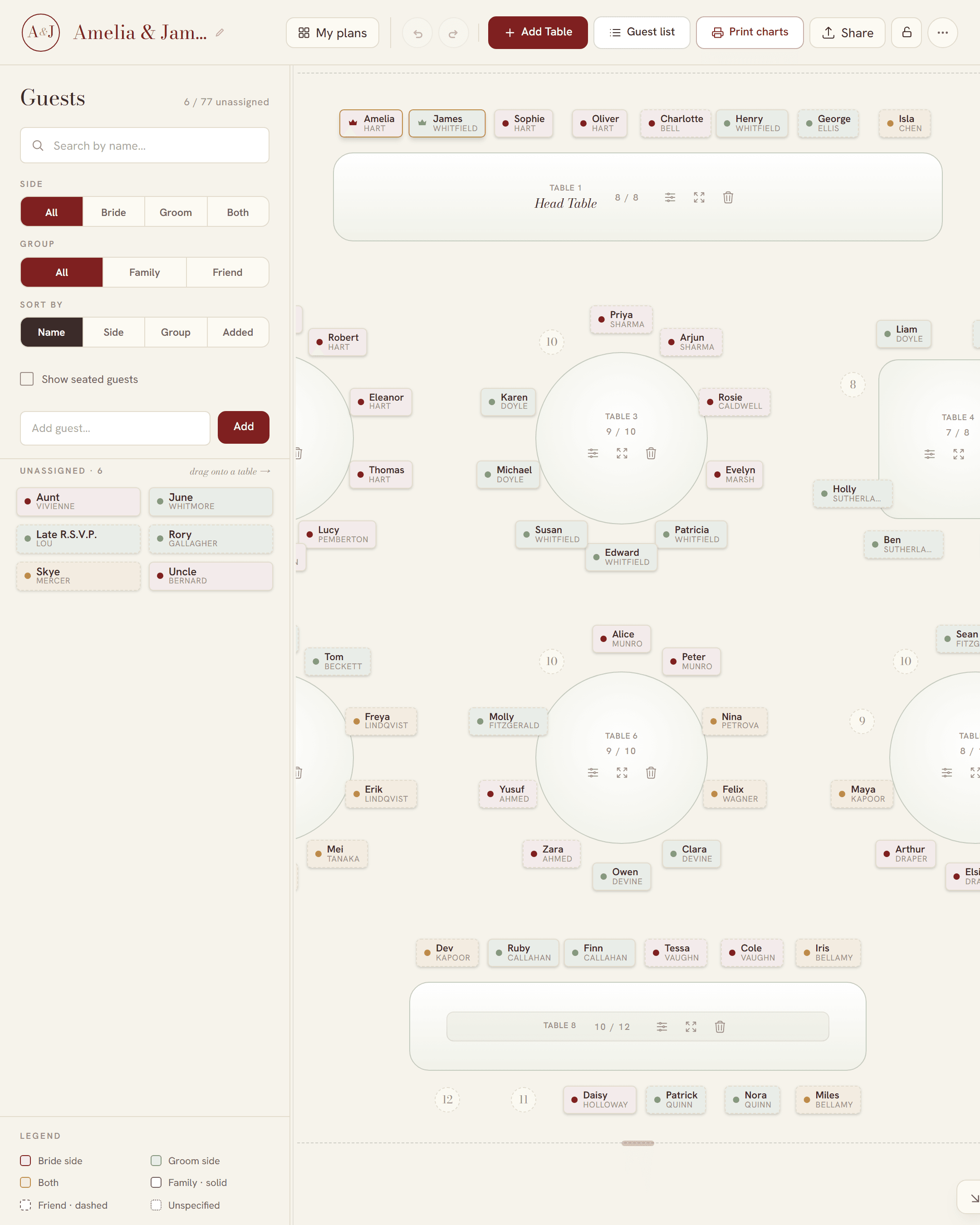
A seating plan is only useful if it looks like the venue. SeatFlow gives you four table shapes and lets you drag them around a floor you size yourself:
- Round tables — the usual reception table, seating eight to twelve depending on diameter.
- Long banquet tables — trestles with guests down both sides, for family-style dining.
- All-sides rectangles — guests on all four edges, including the ends.
- One-sided head tables — the couple and wedding party facing the room from a single side.
Each table has its own capacity and numbered seats. Fill it past capacity and the table turns red and tells you how many over you are — it lets you do it, because a real plan often runs over for a day or two before it settles. If you are still working out how many tables you need, see how many guests fit at each wedding table, and for the top table specifically, head table seating.
Everyone helping can look at the same plan
Seating is rarely a solo job. Your partner has opinions, one of your mothers has stronger ones, and the venue coordinator needs a copy by a certain date. Every SeatFlow plan is a link. Send it and the other person opens the same plan, sees your tables, and can move guests themselves. Edits sync live, and two people editing different tables at the same time will not overwrite each other.
If open editing makes you nervous, set a password on the plan. Anyone with the link can still view it; only people with the password can change it. There is no password reset — the server only ever stores a hash of it — so write it down. More on how a plan works without an account in planning online with no sign-up.
When the plan is settled, print it
SeatFlow generates four print-ready charts from the plan you built, so the printed version and the plan can never disagree:
- Guest list chart — every guest A to Z with their table, the one people actually read at the entrance.
- Table poster — organised by table number, for a display board or easel.
- Table number cards — one big number per table, on a 5 × 7 inch photo card.
- Place cards — tent-fold cards with each guest’s name, on a multi-up A4 sheet with fold and cut guides.
Sizes run from A4 you can print at home up to A0 board prints, with a recommendation based on your guest count so the names stay readable at the size you choose. There are four colourways: burgundy, sage, gold and black and white.
You can preview and download any of them for free. The files come out clean and full-resolution, with no watermark on them.
Do you need this, or will a spreadsheet do?
A spreadsheet is genuinely good at the guest list: names, RSVPs, meal choices, addresses. Keep using it for that. Where it falls down is the room. A spreadsheet cannot show you that table four has two spare chairs while table five is over by three, that you have put both of your divorced parents within earshot, or that the head table is facing the service door.
So the honest answer is: use the spreadsheet for the list, then import it here for the room. That is the whole reason the import exists rather than a blank “add guest” form.
Where to start
If you already have a guest list, import it and start dragging. If you are earlier than that and want the order of work — when to start, who to seat first, how to handle the awkward cases — read how to make a wedding seating chart first, then come back.