The link is the account
When you start a plan, SeatFlow generates a twelve-character random id and puts your plan at that address. There is no username attached to it and no password by default. Whoever holds the link can open the plan; whoever does not, cannot find it — the ids are not sequential, plans are never listed, and the database will not hand one over without the exact id.
That design is what removes the sign-up. It also means the link is worth treating like a key rather than like a URL.
Keeping hold of your link
Three things worth doing in the first minute:
- Email the link to yourself. There is a send option inside the plan that does exactly this, and it is the only recovery route that survives a new laptop.
- Bookmark it, so the browser you actually plan in has it.
- Send it to your partner. Two people holding the link is a better backup than one.
The SeatFlow home page also keeps a list of the plans this browser has opened, so on your usual device you will find it without doing anything. That list lives in the browser, not in an account, so it does not follow you to another computer and it disappears if you clear your site data. It is a convenience, not a safety net.
Sharing it with the people who care
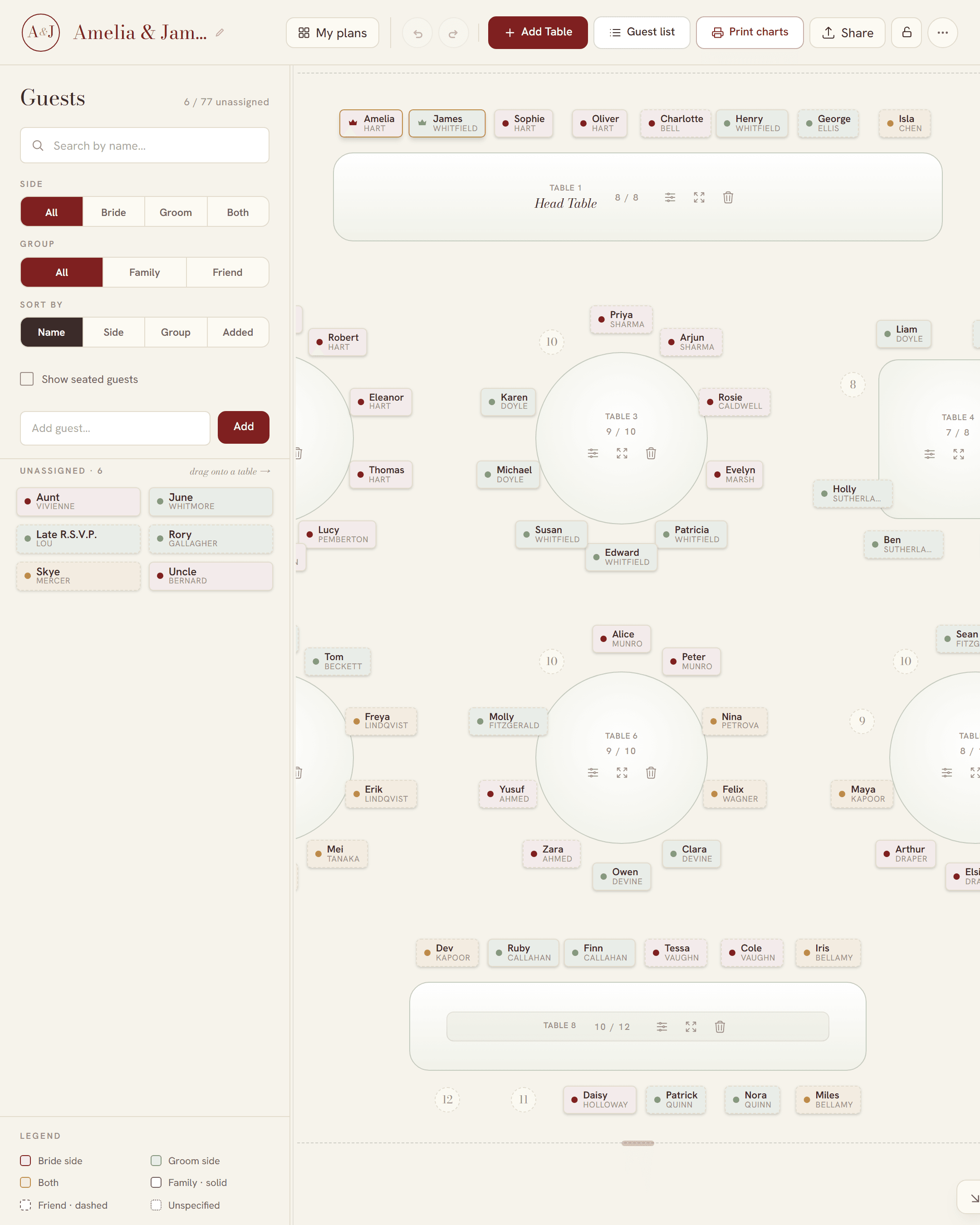
Send the link and the other person opens the same plan — not a copy, not a PDF, the same plan. They see your tables, they can move guests, and their changes appear on your screen as they make them. Two people editing different tables at the same time will not overwrite each other; edits are merged per guest and per table rather than the whole document being replaced by whoever saved last.
In practice that means your partner can do the friends while you do the relatives, and the venue coordinator can open the link on the day without you exporting anything.
Locking it so only you can edit
Open editing is right for a couple and wrong for a group chat of forty-five people. Setting a password on a plan splits the two: the link still grants viewing, and editing requires the password. The check happens on the server, so it is not a matter of hiding buttons — a save without the password is refused outright.
What you are not asked for
Starting a plan needs no email address, no name, no phone number and no card. The print-ready files are free too — they download clean and watermark-free, and nothing along the way asks you for anything.
Your guest list is not published anywhere. Plan pages are served with a noindex tag specifically so that a link shared in a group chat cannot end up in Google, and the guide pages you are reading are the only part of the site meant to be indexed.
Nothing to download or install
SeatFlow is a web page. There is no app, no installer, no extension and no template file to open in something else. It runs in a current version of Chrome, Safari, Firefox or Edge on any operating system.
On a phone
The phone view is a companion rather than the full board: you tap a guest, pick their table from a sheet, and move on. It is genuinely useful for triage on the train. Choosing who sits in seat four of table six is still much easier on a bigger screen.
When something goes wrong
Anyone with the link can edit an unlocked plan, which occasionally means anyone with the link can wreck one. Two things guard against that: every save snapshots the previous state, so you can open the version history and restore an earlier one; and a save that would empty a populated plan is refused unless the deletion was deliberate. If you open a plan and find it blank, there is a one-tap restore rather than a shrug.
The trade-off, stated plainly
No sign-up is not free of consequences, and it is better to know them now than in April:
- Lose the link on every device and there is no “forgot my plan” lookup, because there is nothing to look you up by.
- Anyone you send the link to can open the plan. If that is not what you want, set the password.
- Forget the password and it cannot be reset.
- The plan list on the home page is per browser, so a new laptop starts empty even though your plans still exist.
All four are solved by the same habit: email yourself the link the day you start. Once that is done, read how to make a wedding seating chart for the order of work, or bring your list in via the guest list import.