Which changes need a reprint
First check if there is time. Ask the printer how many business days a reprint needs. A board you collect from a local shop can be quicker than one from an online printer that proofs the file and couriers it. If there is not enough time, fix it by hand.
- A guest cancels. No reprint.
- A guest is added. No reprint. Put the name on the late-changes card beside the chart, and print one place card.
- A guest moves table. Reprint if there is time. If not, cover the old line with a white label, put the name and new table on the late-changes card, and tell the coordinator.
- A whole table changes. Reprint if there is time, and print new place cards for that table.
When a guest cancels
- Ring the venue the same day with the new number, so no place setting or meal is laid for the guest, and ask if the meal still costs you.
- Take the guest's place card away, or ask the venue to.
- Leave the chair empty, or ask the venue to take the chair away.
- If a table of ten drops to five or fewer, first ask the venue to swap in a smaller round under the same table number. The chart, the table card and every place card stay correct. If it cannot, move the rest of that table into free seats at other tables.
When a guest is added
Seat a new guest next to the person they know, at the same table. A 5 ft round that seats 8 takes a ninth chair at a squeeze (see how many guests fit at each table). If that table is full, move the two of them together to a table with a free seat, so nobody sits alone.
A plus-one nobody told you about
Seat them with their partner, and tell the caterer the extra meal and any dietary need the same day.
When to print, so late changes cost less
- When you book the venue, ask when it needs the final number and if a later cancellation still costs the meal.
- Set an RSVP deadline about three to four weeks before the wedding. Wait a day or two after it for the late replies, then plan the seating.
- Print the chart about two weeks before, after the final numbers go to the venue.
- Leave one empty seat at two or three tables spread round the room. A late plus-one or a moved guest then has a seat with no reshuffle.
- Keep the chart as a file you can change, not a design you must retype.
- Bring blank place cards, white labels and a pen on the day, for the change that comes after the print shop closes.
Making the change in SeatFlow
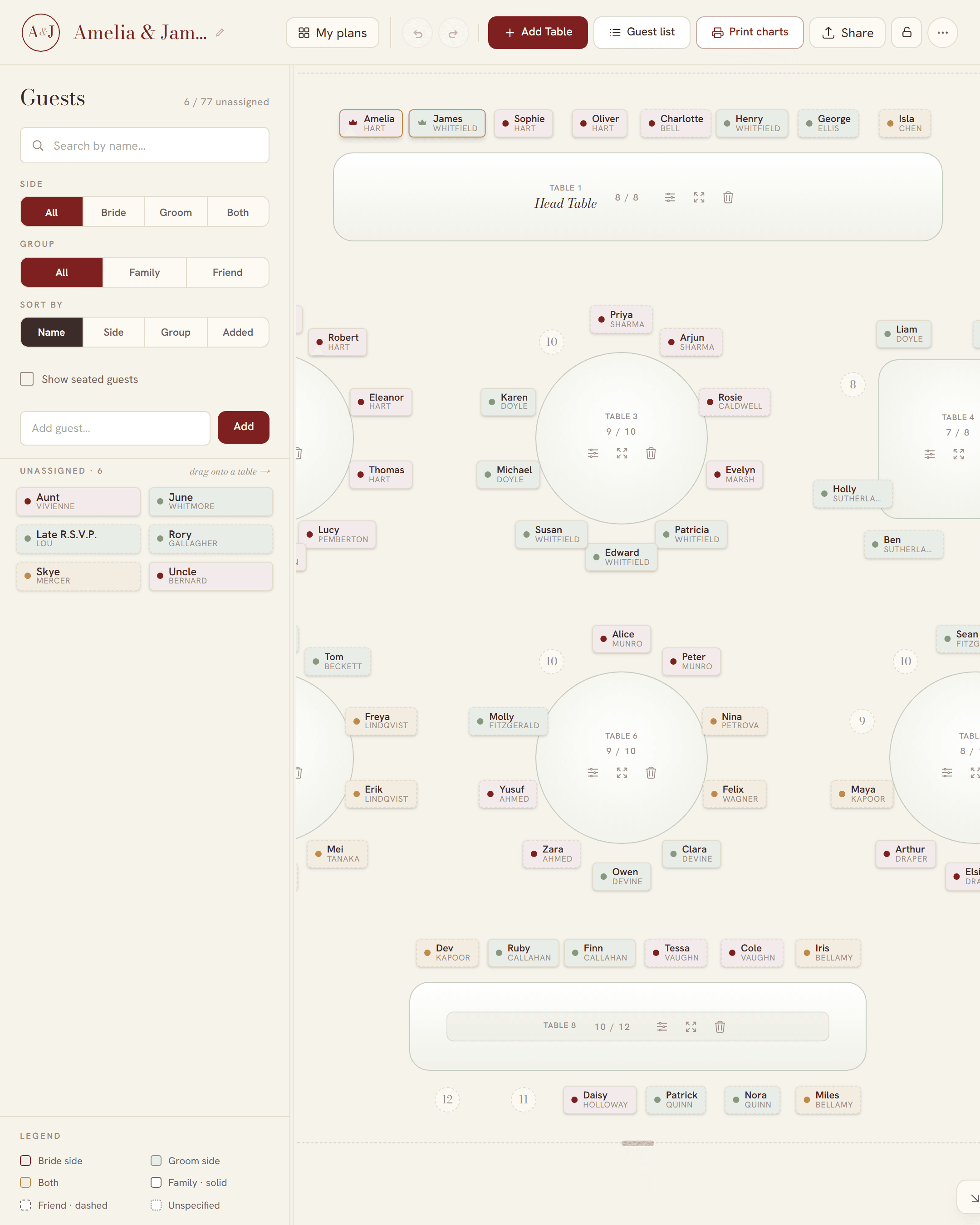
In SeatFlow the chart, the table cards and the place cards are all set from the plan. Change the plan, and every file follows it:
- Mark the guest as Declined, or move them to their new table. A declined guest leaves their table, and never prints on the chart or a place card.
- The other guests at that table keep their seats, and the empty seat stays empty. Only a table that had more guests than seats closes up.
- Open Print & download and download the chart again. Every download is free, as often as you need.
- For a new place card, choose the single card master. The PDF has one 89 × 102 mm card to a page, so print only that guest's page from your PDF viewer.
If your partner or a parent has the plan's link, they see the change straight away. For the coordinator, download the A4 guest list: every seated guest A to Z with their table. If a change goes wrong, Undo brings the guest back to the same seat, and the version history can bring back an earlier plan.
For the order of work from the RSVP deadline to the day, see how to make a wedding seating chart. For printing in Australia, see where to print a wedding seating chart.